August 12, 2014
The following information reflects what is new in the edX Platform as of August 12, 2014. See previous pages in this document for a history of changes.
edX Release Announcements Mailing List
These edX Course Staff Release Notes are always available and are updated with each release of the edX Platform on edx.org and edX Edge.
You can also sign up for the edX Release Announcements mailing list to get an email message when we update the edX Course Staff Release Notes.
edX Studio
This release includes a redesigned user experience for publishing.
The process for creating, releasing, and updating content has been streamlined and simplified.
_New-workflow.png)
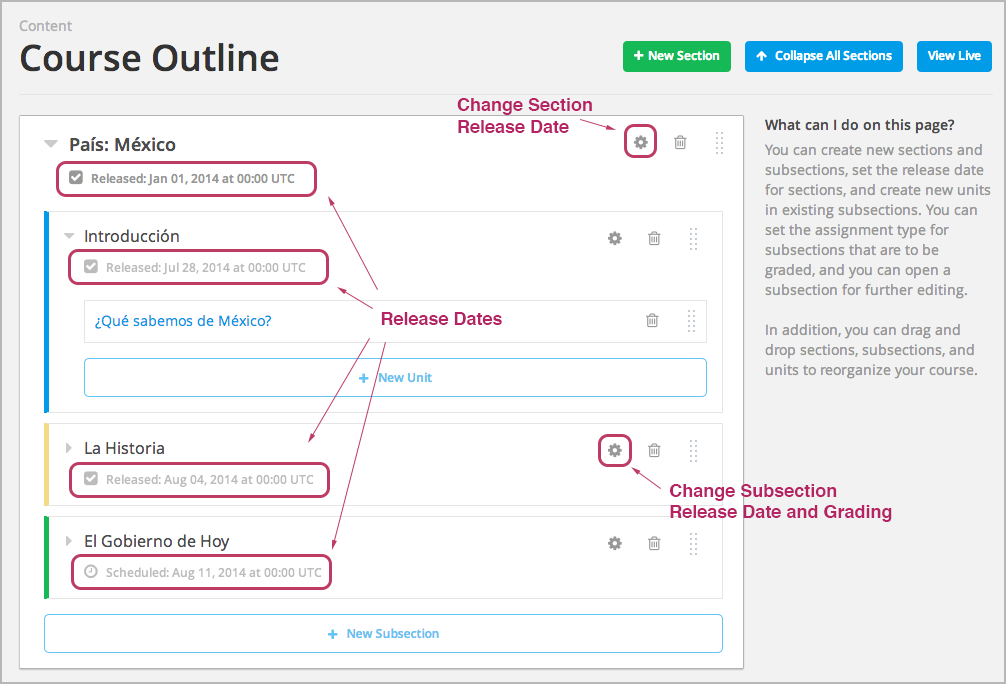
Visual cues are now present on the Course Outline page and on individual unit pages to indicate whether your content is published and whether students can see it.
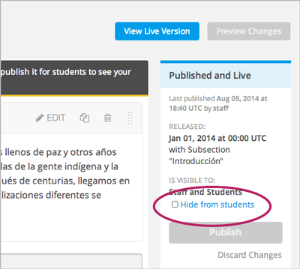
You can select the Hide from students check box on a unit page at any time to immediately remove that unit from student view.
For more details and a comparison between the new publishing workflow and the previous workflow, see our most recent edX Product and Engineering Newsletter.
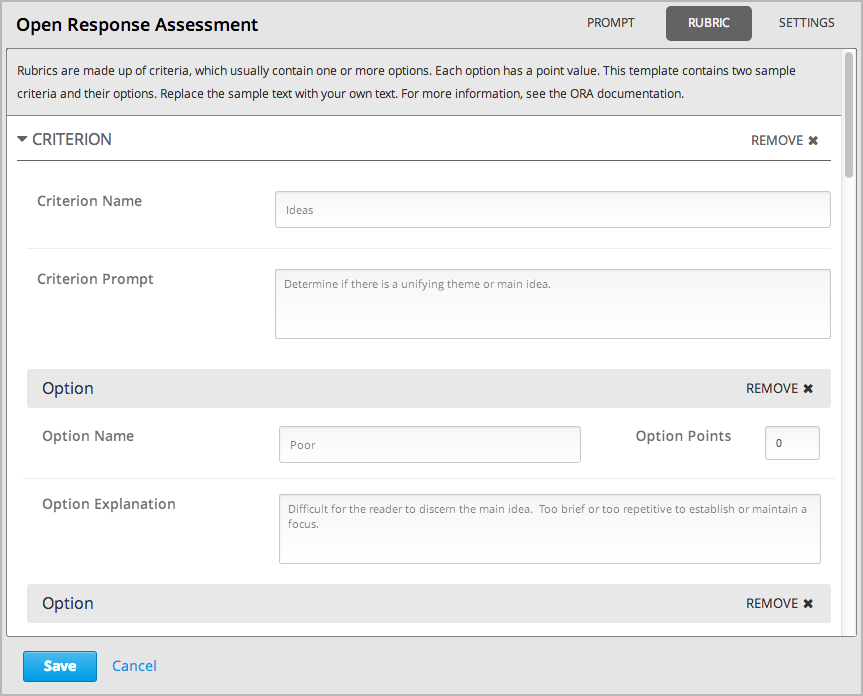
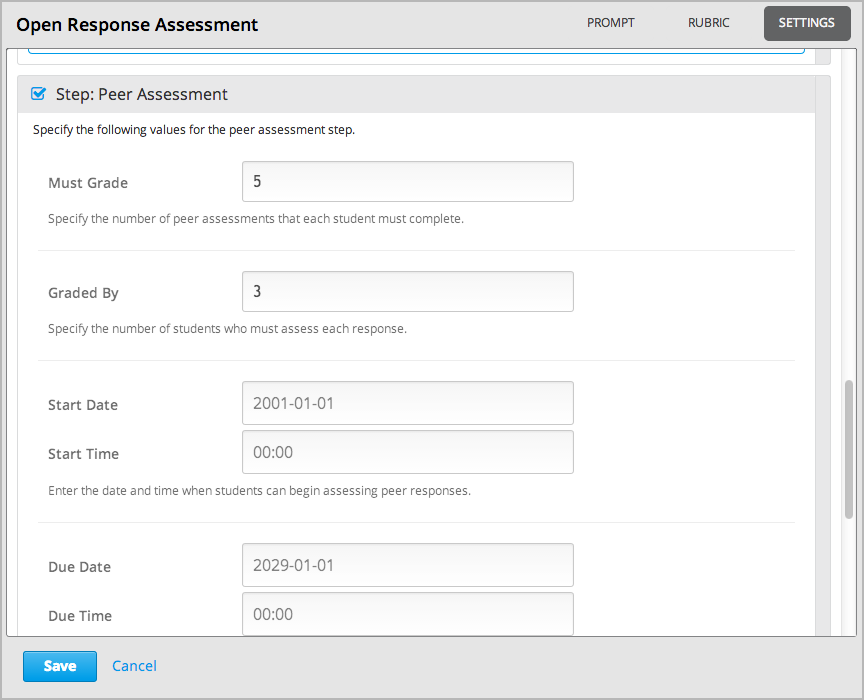
A graphical user interface is now available for creating and maintaining open response assessment problems.
You now define the open response assessment rubric in the following page:
You now define settings for the open response assessment in the following page:
A new setting, Enable video caching system, is now available on the Advanced Settings page. When set to true (the default), HTML5 videos use video caching. (BLD-1207)
edX Learning Management System
- When course discussions are closed, the New Post button is no longer included in discussion components. (FOR-108)
- When an incomplete course URL was entered in a browser, the error page that displayed included incorrect information. This defect has been corrected. (LMS-11189, LMS-11205)
Coming Soon
We’re pleased to announce these upcoming changes, which will release in the next few weeks:
- In addition to the existing Discussion post type, course discussions will soon include a new Question post type. Students and course teams will also be able to filter posts to find unanswered questions easily.
- A new user experience design for course discussions is coming! The new user interface controls will provide consistent methods for taking action on posts. A set of colorful badges will also make it easier to identify posts.
- A new bulk publishing feature will soon be available to enhance the changes that you see to the publishing workflow today. With bulk publishing, the process of releasing your course content to students will be significantly streamlined.
edX Documentation
The following documentation is available:
Building and Running an edX Course
Click Help in the upper-right corner of any page in the edX Studio user interface to access relevant sections in this guide. You can also download the entire guide as a PDF.
Recent changes include:
A new section, Developing Your Course, that provides documentation on using the new publishing workflow and the enhanced outline and unit pages. These enhancements resulted in extensive changes to the organization and content of this guide.
-
Recent changes include:
The Create an Open Response Assessment Assignment chapter has been completely revised to document the work you do in Studio to create and test this assignment type.
Other edX Resources
You can access the edX Status page to get an up-to-date status for all services on edx.org and edX Edge. The page also includes the Twitter feed for @edXstatus, which the edX Operations team uses to post updates.
You can access the public edX roadmap for details about the currently planned product direction.