May 20, 2014
The following information reflects what is new in the edX Platform as of May 20, 2014. See previous pages in this document for a history of changes.
edX Release Announcements Mailing List
These edX Course Staff Release Notes are always available and are updated with each release of the edX Platform on edx.org and edX Edge.
In addition, you can sign up for the new edX Release Announcements mailing list to get an email message when we have updated the edX Course Staff Release Notes.
edX Studio
This release introduces context-sensitive online help to Studio. You can click Help in the upper-right corner to get more information about the Studio page you are viewing. You can also click links that appear in the right panel on some pages.
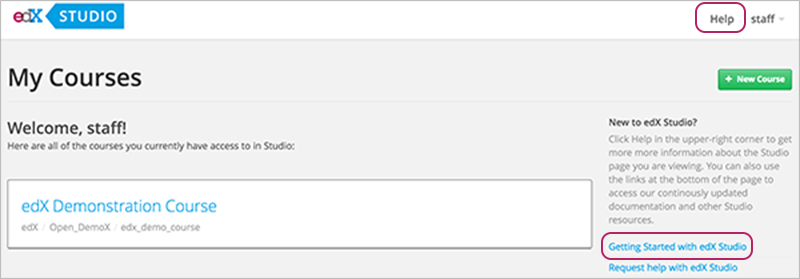
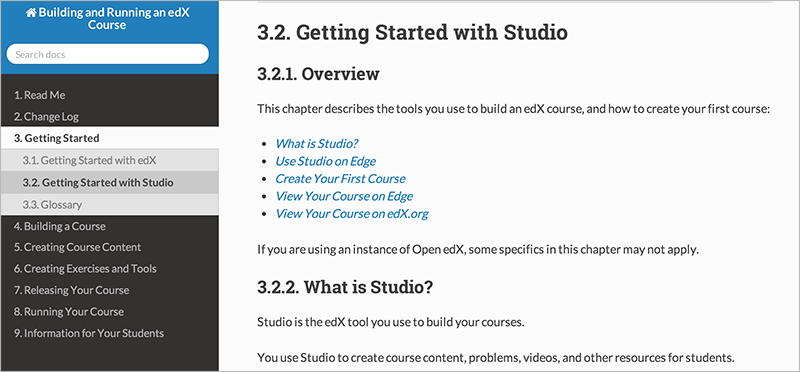
A page in edX’s continuously updated documentation that is related to the Studio page you are viewing opens in a new browser tab or window:
You can also expand the panel at the bottom of the Studio user interface and use the links to access a PDF file of edX course staff documentation, edX Studio Author Support, and edX101.

A problem in a small number of XML-authored courses that caused the video transcript download button to not work for students is fixed. If your course was one of the courses affected, you must re-import the course in Studio to enable transcript downloads. (BLD-1014)
A problem that prevented users with only course staff privileges from importing courses is resolved. (STUD-1595)
edX Documentation
The following documentation is available:
Building and Running an edX Course
Click the Help buttons in the edX Studio user interface to access relevant sections in this guide. You can also download the entire guide as a PDF.
Recent changes include:
Updated Working with Video Components to reflect UI changes.
-
Recent changes include:
- Added an event list, an alphabetical list of events with links to the Tracking Logs chapter.
- Updated the Tracking Logs chapter to provide a standardized structure for delivering information about events and address problems with table formatting.
-
Recent changes include:
Updated the Analytics section to include information on documenting and debugging events.
Other edX Resources
You can access the edX Status page to get an up-to-date status for all services on edx.org and edX Edge. The page also includes the Twitter feed for @edXstatus, which the edX Operations team uses to post updates.
You can access the public edX roadmap for details about the currently planned product direction.